ResoCat is an Android display utility I created to manage resolution and DPI profiles per app. If you change your display settings for different games or apps, switching back and forth manually can get repetitive.
It applies the profile assigned to a configured app when that app opens, then restores your saved default display settings when it closes. This guide explains the setup, limitations and recovery options before you try it.
Resolution and DPI: what changes?
Resolution refers to the display’s width and height in pixels. DPI is the logical density Android uses when sizing interface elements such as text and buttons. Changing these settings can affect layouts across the system, not just inside one app.
ResoCat changes Android display settings. It does not resize photo or video files, change printing DPI, or alter the physical pixel count of your screen panel.
How per-app profiles work
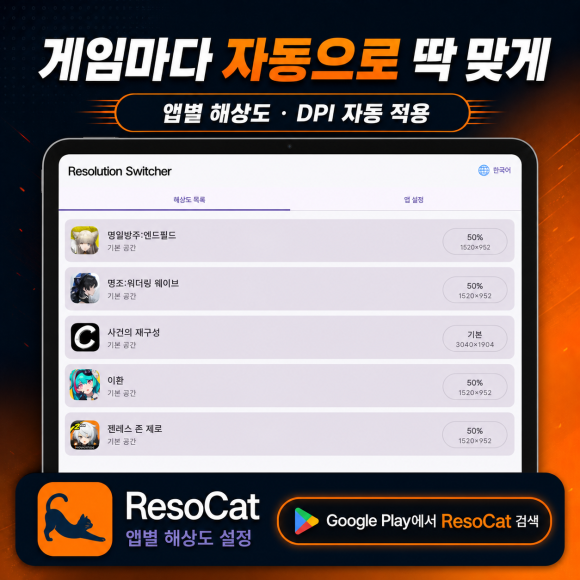
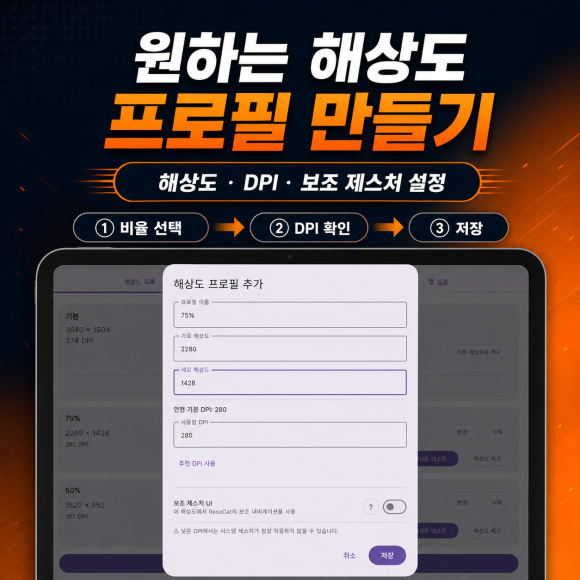
Create a custom resolution and DPI profile, assign it to a game or app, and test it. When a configured app starts, ResoCat applies the assigned profile. When it closes, ResoCat returns to your saved default display settings.
For example, you can assign one tested profile to a game and a different profile to another app. The goal is to reduce repeated manual switching, not to provide one universal setting for every device.
Getting started safely
- Install ResoCat from its Google Play listing.
- Follow the in-app instructions to grant access through Shizuku or ADB. Display changes require elevated system access; installation alone is not enough.
- Check your default display settings and learn the recovery options before applying a new profile.
- Create a profile suitable for your device. Avoid extreme values or copying another device’s settings without testing.
- Assign the profile to an app. Check text, buttons, touch alignment and system navigation, then verify that closing the app restores the default settings.
Use the setup guidance and commands supplied inside the app rather than relying on unrelated commands copied from the internet.
Recovery and everyday controls
ResoCat records the display settings used before a custom profile is applied for recovery reference. It provides recovery options through the app, notifications and home-screen widgets, plus emergency reset for forced resolution and DPI settings.
Other features include optional background monitoring, optional assistive navigation for low-resolution situations, multilingual support, and safety recovery after reboot, screen lock or an unexpected exit. Recovery features do not make every possible profile safe, so test carefully.
Will lowering resolution improve gaming performance?
Do not assume it will. Results depend on how a game renders and on your device. ResoCat is a display-profile tool, not a guarantee of higher FPS, lower temperatures or longer battery life.
Device compatibility can vary by manufacturer, Android version, foldable display mode and system software. Use the trial to check the setup and recovery behavior on your own device.
Trial and Premium
All features are available during a 14-day free period. Ads may appear in the free version. After the trial, a one-time Premium purchase enables permanent use and removes ads. Premium is not a subscription and does not renew automatically. Check Google Play for the price in your country or region.
Download ResoCat
Check the current Google Play listing for feature and pricing details. If you share feedback, include your device model, Android version and the resolution/DPI values you tested.
This is the home for the apps I build. New app introductions, practical guides and updates will appear here as they are ready.
Home →